Architecting the Aerospace Blueprint & CAD File Manager (v5 → v8)
How I scrapped a finished prototype to build Trevor’s Windows Explorer mental model, delivering sub-second 2D/3D browser CAD inspection, an atomic 3-gate authorization pipeline, and eliminating 2,457 lines of drifted technical debt.
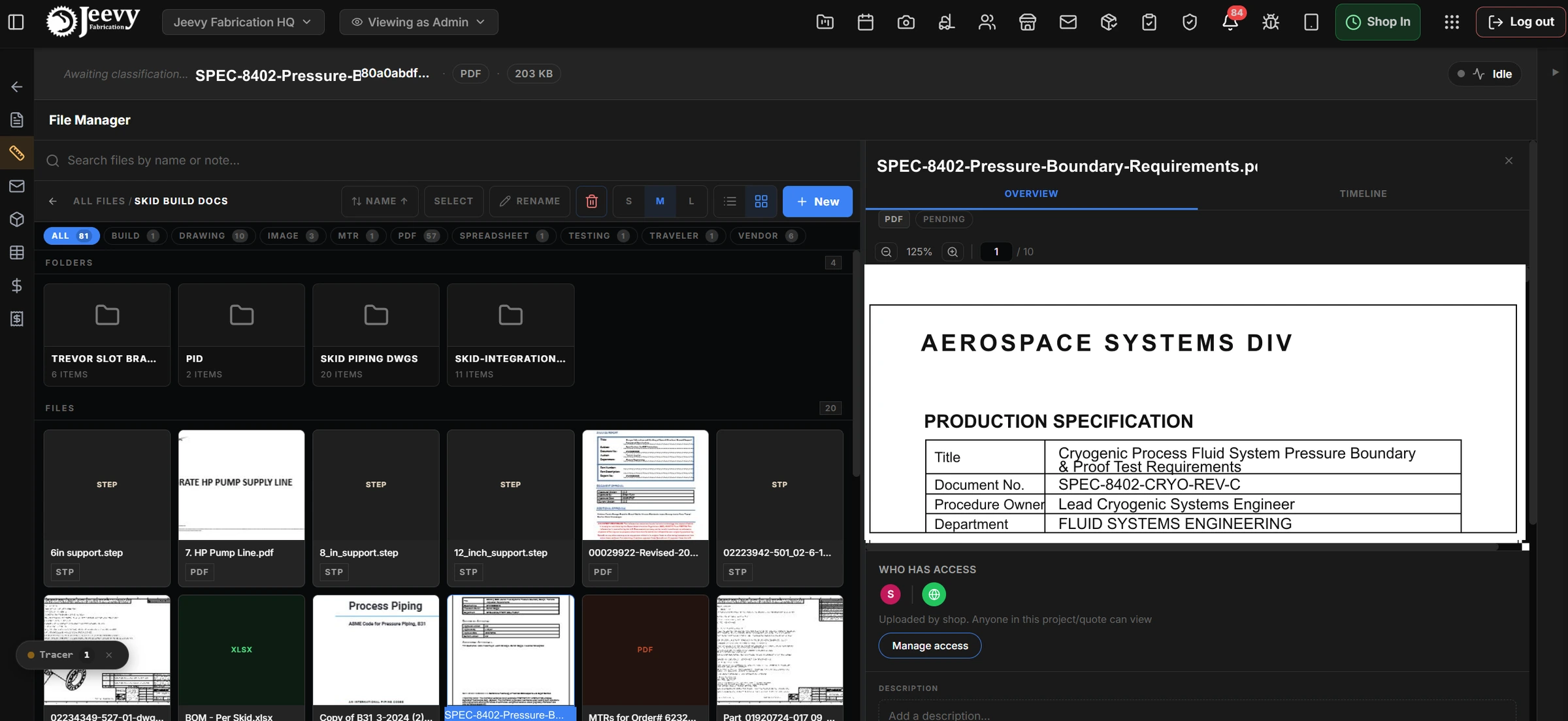
The production Master Split View pairing the central file explorer with an interactive drawing inspector displaying a launch pad cryogenic GSE specification.
When a missing drawing halts an overhead crane
In heavy aerospace manufacturing, software failure is measured in stalled welders and five-figure liquidated damages. When a 40-foot Ground Support Equipment skid or high-pressure cryogenic manifold is being fabricated for a Tier-1 commercial space operator, an un-synced drawing revision or an unreadable blueprint halts the line.
Before this rebuild, engineering drawings, Material Test Reports, and supplier quotes were dumped into a flat, un-nested list. The system was breaking daily.
SolidWorks bottlenecks. Opening a 3D assembly on shop-floor tablets required downloading full CAD files and waiting 45 to 90 seconds in SolidWorks just to verify a nozzle schedule.
Exposed commercial data. Sourcing spreadsheets, internal markup margins, and vendor quotes were stored side by side with fabrication prints, accessible to anyone on the floor.
Relational flatness and raw hashes. Files were dumped into a flat database array with unformatted proxy strings and UUID hashes, lacking folder hierarchies and drag-and-drop organization.
8,315 lines of drifting duplication. Quote and project file managers were maintained as two separate monoliths, introducing 11 live behavioral bugs across renames, deletions, and folder creations.
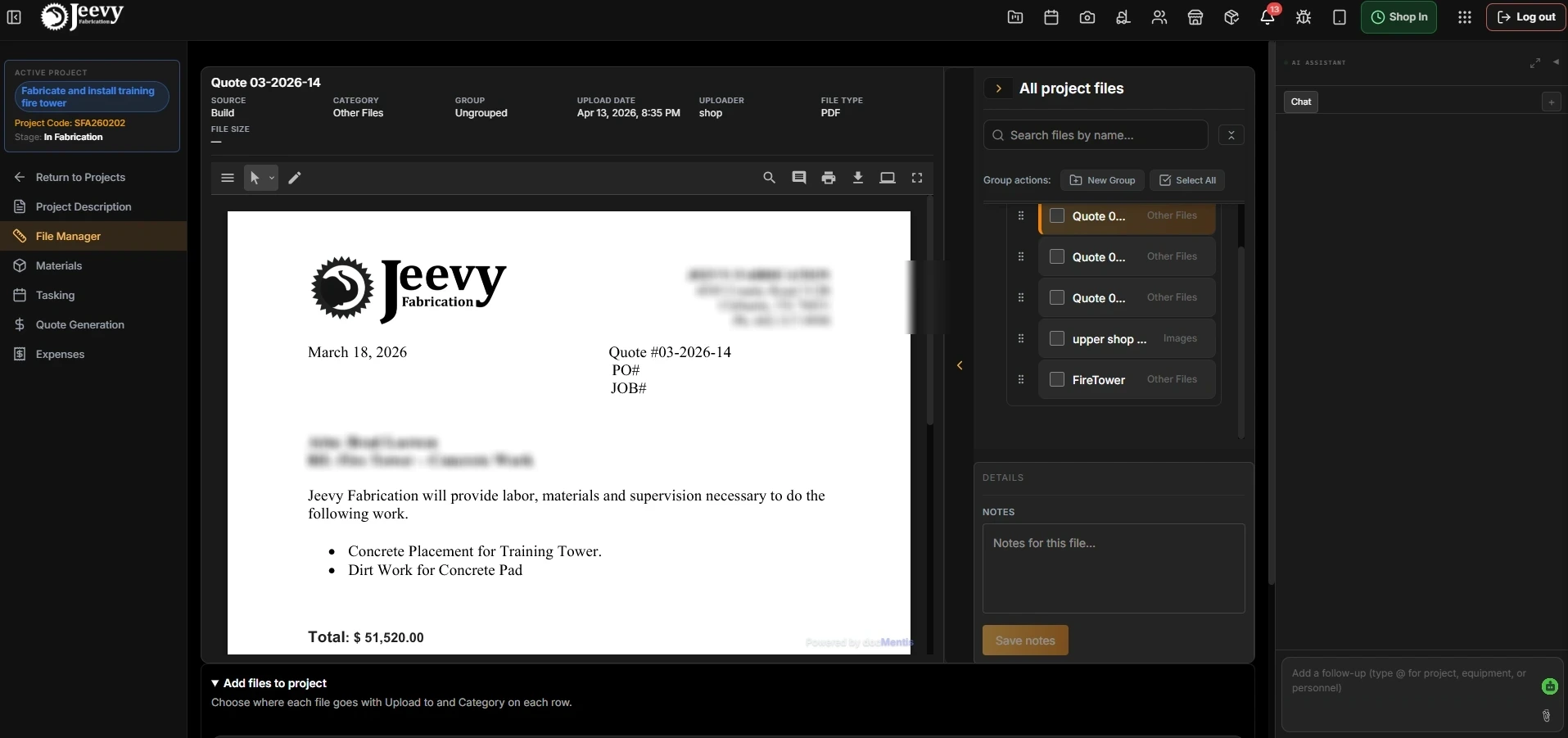
The legacy flat file list: zero directory depth, unformatted proxy strings, and dead BOM sidebars consuming horizontal screen space.
The courage to scrap completed work
Following my initial prototype pass, I ran participatory design sessions with Trevor Goldston (Shop Operations Lead), Vinay Konuru (VP Technology), and Joseph Leon (Engineering). That research revealed that my modern, abstract prototype broke down completely under actual shop-floor build rhythms.
We initially built an abstract, deeply nested CAD tree. In Figma reviews, it looked modern and organized.
On the shop floor, it collapsed. Welders had to read 30-character alphanumeric part hashes to guess what was inside, and opening assemblies meant waiting 45 to 90 seconds for SolidWorks to load on a rugged tablet.
Trevor opened Windows File Explorer and showed us how he actually works: folders on the left, large visual thumbnails in the middle, and file details on the right.
We scrapped the tree and mirrored his spatial mental model. Welders spot part geometry instantly, inspect 2D/3D cutaways in the browser in under 1.2 seconds, and never wait on heavy desktop CAD.
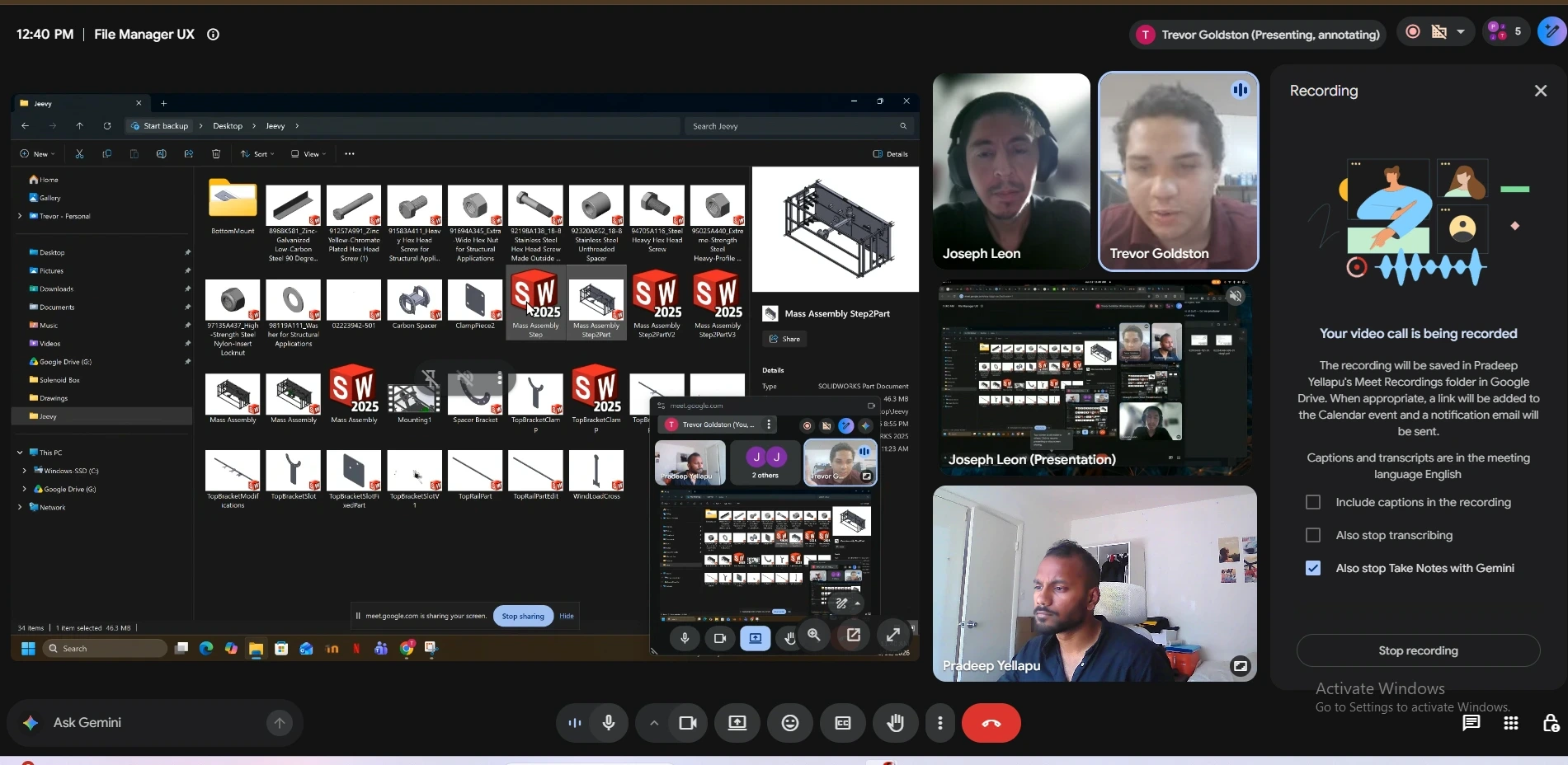
Trevor Goldston demonstrating his ground-truth mental model: Windows File Explorer with large visual thumbnails for rapid part geometry identification.
- Critical blocker
- Operational friction
- Floor requirement
Trevor identifies assemblies by shape (skid frames, 6-inch elbows, flanges), not 30-character alphanumeric strings. Demands large visual grid thumbnails.
Waiting 45 to 90 seconds for heavy CAD to launch on rugged tablets halts fitters at the bay. Demands sub-second browser-native 2D/3D split views.
Estimator pricing bids and markup percentages stored beside weld prints. Demands strict 3-gate database role isolation.
Deleting folders left child drawings orphaned in the database. Demands safe re-parenting and stacked version containers.

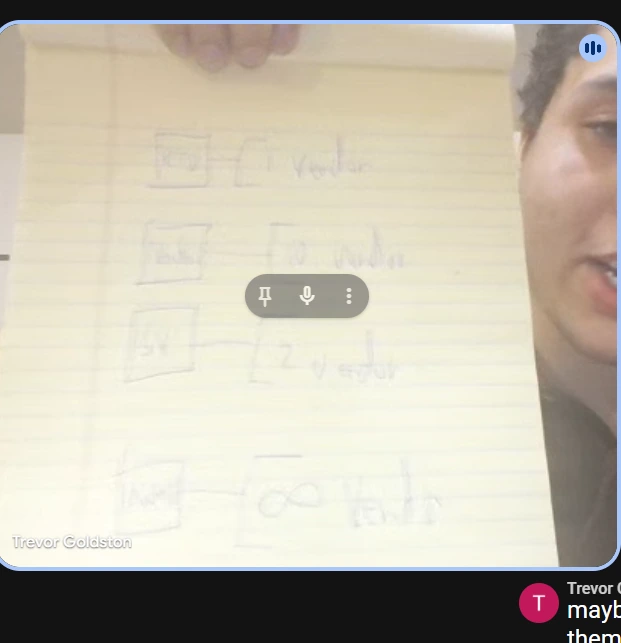
Trevor Goldston’s original yellow-pad sketch mapping 1-to-N vendor drawing packages and RFQ containment hierarchies.
I threw away the initial concept entirely and rebuilt the architecture around Trevor’s Windows File Explorer mental model, engineering it for high-density touch displays and strict role-based data isolation.
The commercial leak we had to close structurally
In aerospace fabrication, document management isn’t just about organizing files. It is about strict operational boundaries.
When we audited file permissions across shop terminals, we uncovered a dangerous blind spot in how revision histories were handled. The system checked whether a user was an authorized shop employee, but never whether they had clearance to see what was inside that specific document.
That created an invisible loophole. An operator with general drawing upload access could unknowingly restore, overwrite, or mutate hidden commercial files, exposing client pricing, vendor quote markups, and profit margins on the shop floor.
I resolved it by architecting a 3-gate resolution pipeline directly into the document lifecycle.
- Tenancy isolation. Verifies the user belongs to the active fabrication facility.
- View prerequisite, the non-negotiable rule. You cannot edit, delete, or restore a file you do not have explicit clearance to view.
- Role mutation clearance. Only estimators and project leads can touch commercial bids, while shop-floor crews are routed cleanly to fabrication prints and Material Test Reports.
Every mutation resolves through all three gates in order. The view check sits before the write check, which is the specific ordering the audit found missing.
The view-before-write invariant. A user without read clearance is blocked at the database layer from executing write, mutate, delete, or restore operations on any file container.
Inherited folder permissions. Moving a drawing into a restricted directory automatically applies that folder’s security policy to its child documents, which is what prevents accidental leaks during reorganization.
Role-based commercial segregation. Project managers and estimators keep full commercial access, while shop-floor welders and dock inspectors are restricted to fabrication prints and MTR weld logs.
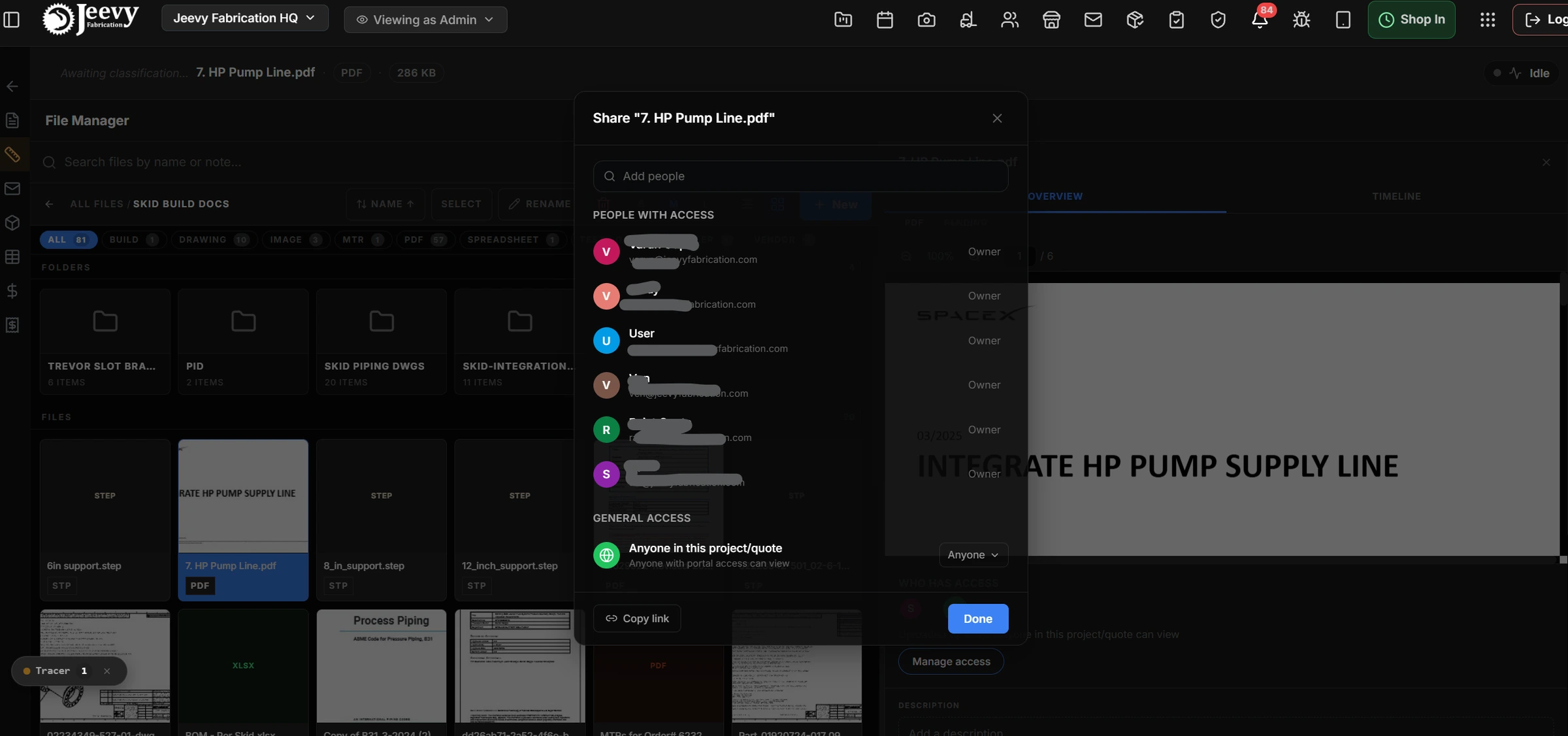
Production Manage Access modal enforcing multi-tiered role governance (Owner, Manager, Viewer) and commercial visibility locks.
Sub-second 2D/3D browser CAD inspection
Welders cannot afford to wait two minutes for SolidWorks to load on a shop tablet. I engineered the master split view, pairing the directory explorer with a right-hand inspector that renders vector PDFs and 3D STP assemblies in under 1.2 seconds.
Coordinate zoom and pan. Welders move across title blocks, weld symbols, and nozzle cutaways inside their browser session.
Single versus double-click. A single click loads metadata, revision history, and a lightweight canvas preview in the inspector; a double click opens the full-screen drawing.
Single-accordion tree rule. Expanding one folder at a directory level collapses its sibling, which prevents vertical scroll fatigue on low-resolution shop displays.
Pre-ingest upload parsing. PDFs and CSV build schedules render inside the upload modal before anything is committed to cloud storage, so coordinators catch corrupted files immediately. That was Joseph’s note, built directly.
Welders halt at the bay while tablets download multi-megabyte CAD assemblies, causing frequent crashes on shop terminals.
Zero desktop software required. Vector PDFs and 3D STP models render directly in the browser split view without leaving the active folder.

Production Grid View showing large visual thumbnails, folder pills, type filters, and 44px glove-operable touch boundaries.

Pre-ingest upload modal featuring client-side rendering, allowing managers to verify build schedules before writing to storage.
Stacked revisions and eliminating 2,457 lines of drift
Engineering prints evolve constantly across a fabrication lifecycle. Rather than tolerating file chaos, Jeevy groups revisions into stacked version containers with single-click server-sent-event rollbacks that update every connected shop terminal at once.
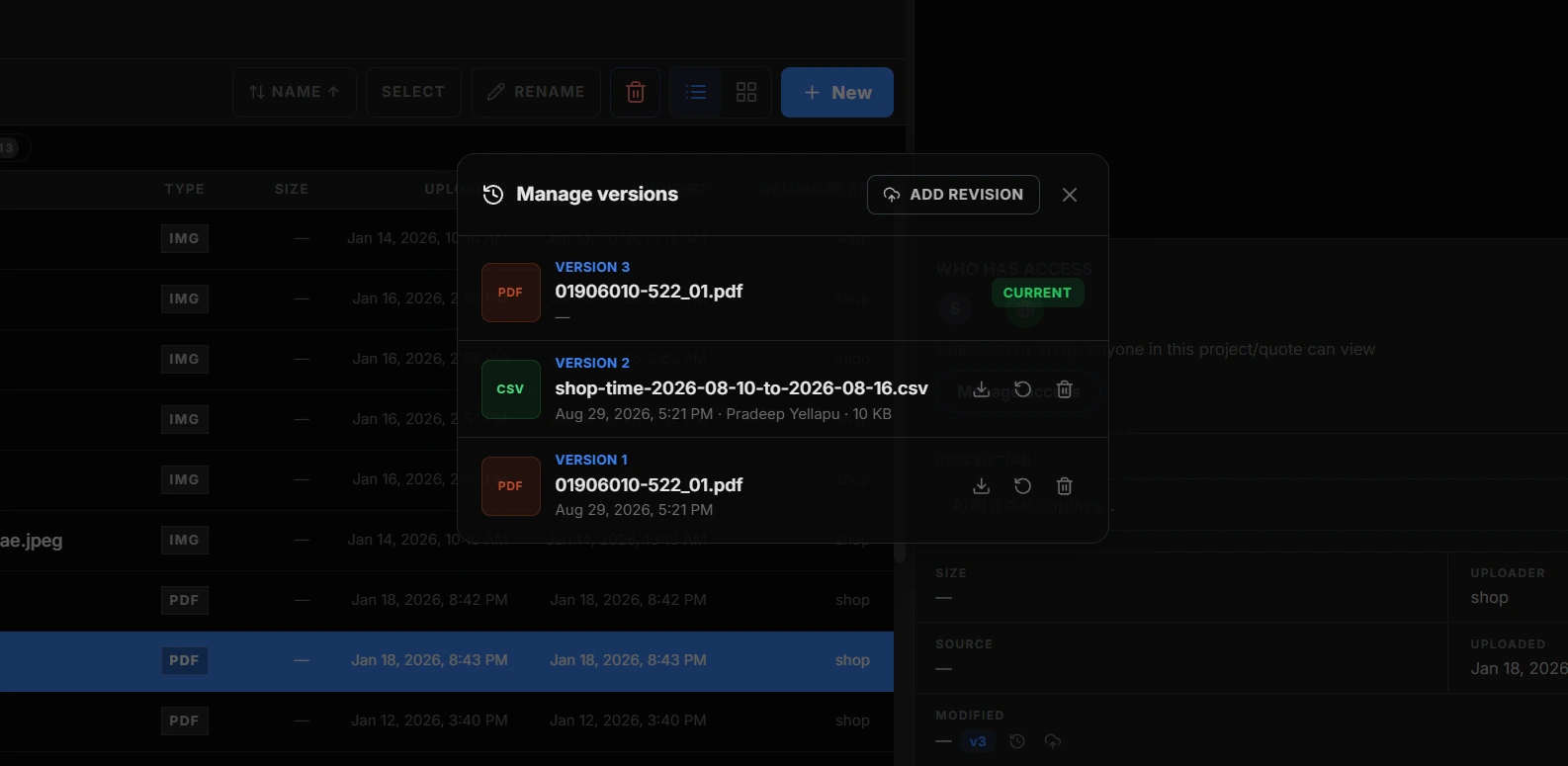
Version Control drawer showing stacked revision history with live rollbacks and audit timestamps.
To remove the maintenance overhead permanently, I consolidated the duplicate implementations into shared domain components with modular adapters.
| Source module | Legacy | Duplicated | Shipped | Debt removed |
|---|---|---|---|---|
| QuoteFileManagerV2/index.js | 4,542 lines | 2,272 lines | 3,211 lines | -1,331 lines |
| ProjectFileManagerV2/index.js | 3,773 lines | Byte-identical | 2,647 lines | -1,126 lines |
| Total consolidation | 8,315 lines | ~60% to 75% | 5,858 lines | -2,457 lines (-30%) |
Consolidating the code removed 11 active bugs, so file renames, folder deletions, and destination moves now behave identically across quoting and project execution.
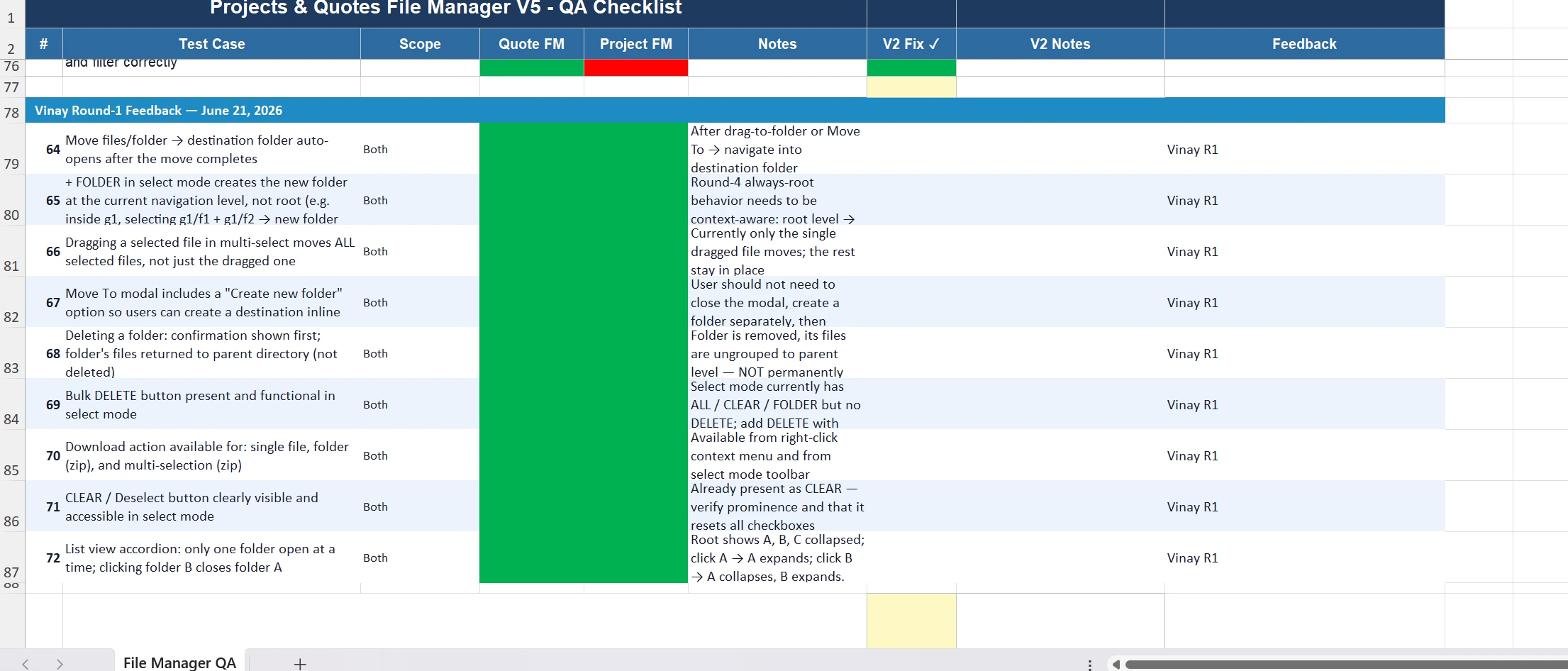
Vinay Konuru's Round-1 QA test matrix verifying context-aware folder creation, multi-drag operations, and non-destructive folder deletions.
Verified Outcomes
- 97% latency reduction. Drawing inspection dropped from 45 to 90 seconds in SolidWorks to under 1.2 seconds via native browser canvas split-views.
- 100% commercial data segregation. Multi-tier permissions eliminated quote and margin leaks to shop-floor terminals while keeping weld prints fully accessible.
- 2,457 lines of dead code removed. Unifying the dual codebase into shared domain components resolved 11 active behavioral drift bugs.
- Zero orphaned files. Folder containment was rebuilt to re-parent child documents to the parent directory on deletion rather than leaving them in limbo.
Mental models beat novel interfaces
The biggest breakthrough on the file manager was recognizing that an innovative UI pattern was the wrong thing to be proud of.
By discarding an abstract prototype and anchoring in a model Trevor already trusted, we removed training friction entirely, built credibility with the shop leads, and delivered sub-second clarity to the crews building for a Tier-1 commercial space operator. The same instinct shows up in the industrial design system ↗, where the constraint was the glove rather than the grid.
“New file manager is kickass. Love it, nice work!!”
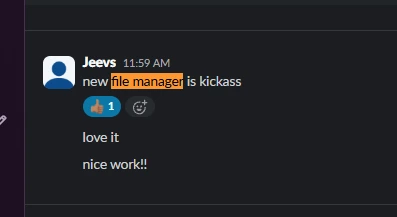
Spontaneous production feedback from Jeevesh Konuru (CEO & Co-Founder) validating the file manager release.